The chart terminal for MetaTrader 5
One indicator puts trend, signals, four timeframes and a market radar on your chart. It never places an order.
Up to 3 MT5 accounts per licence, 14-day refund
Your whole analysis on one chart
-
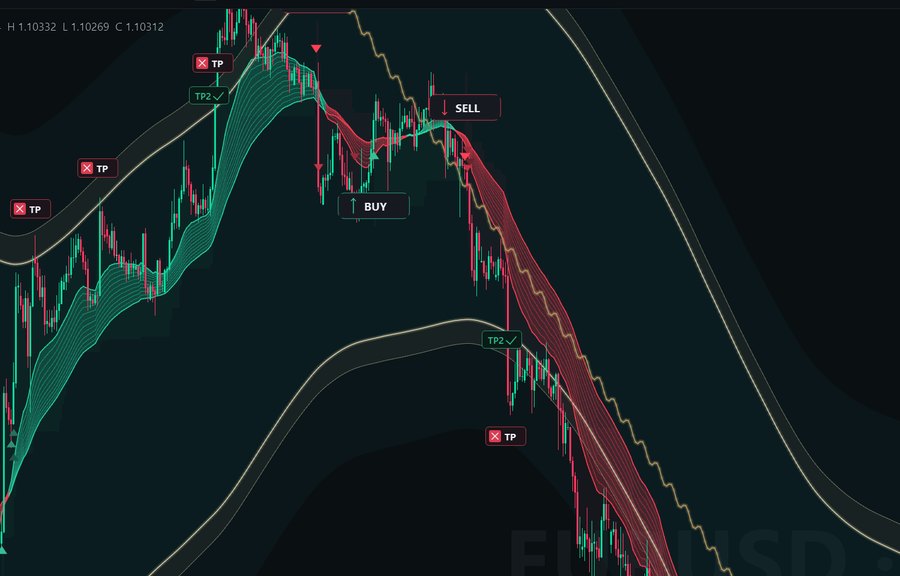
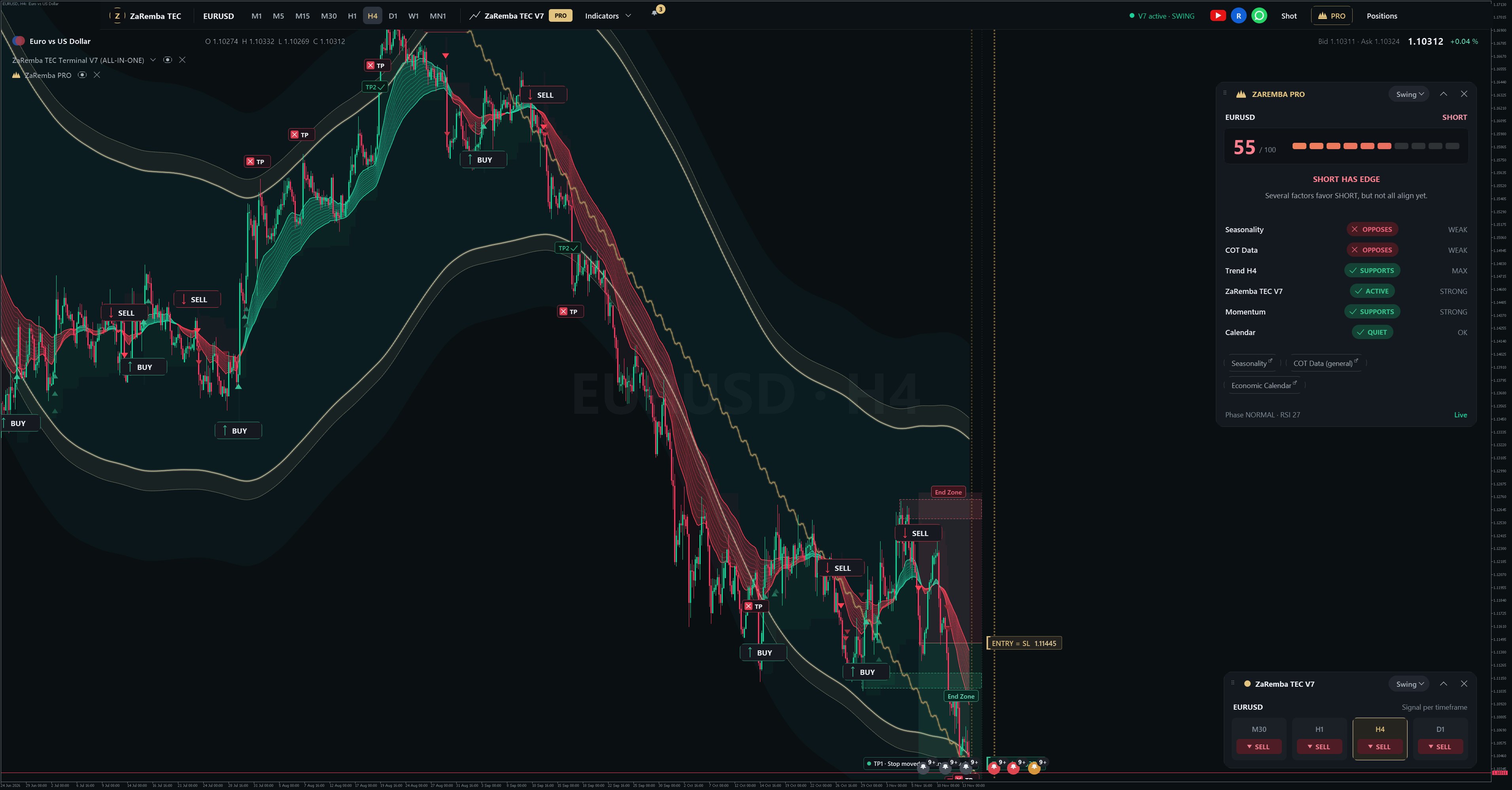
Trend channel and ribbon
A smoothed channel and an EMA ribbon show direction and how far price has stretched, on every timeframe.
-
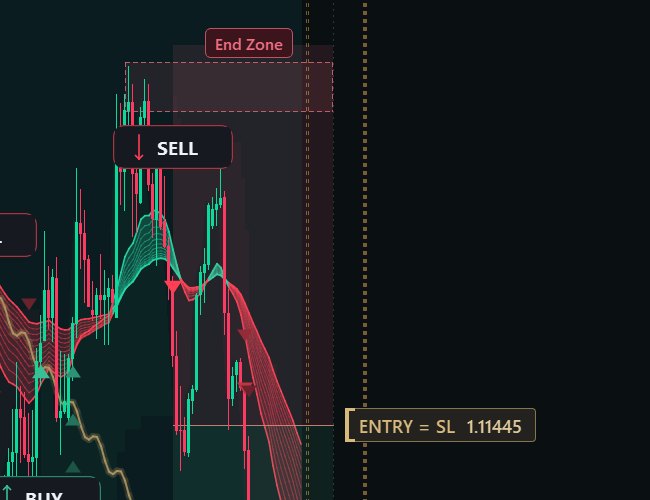
Signal markers with zones
Each buy or sell marker comes with its stop and target zones, so the idea and its invalidation sit side by side.
-
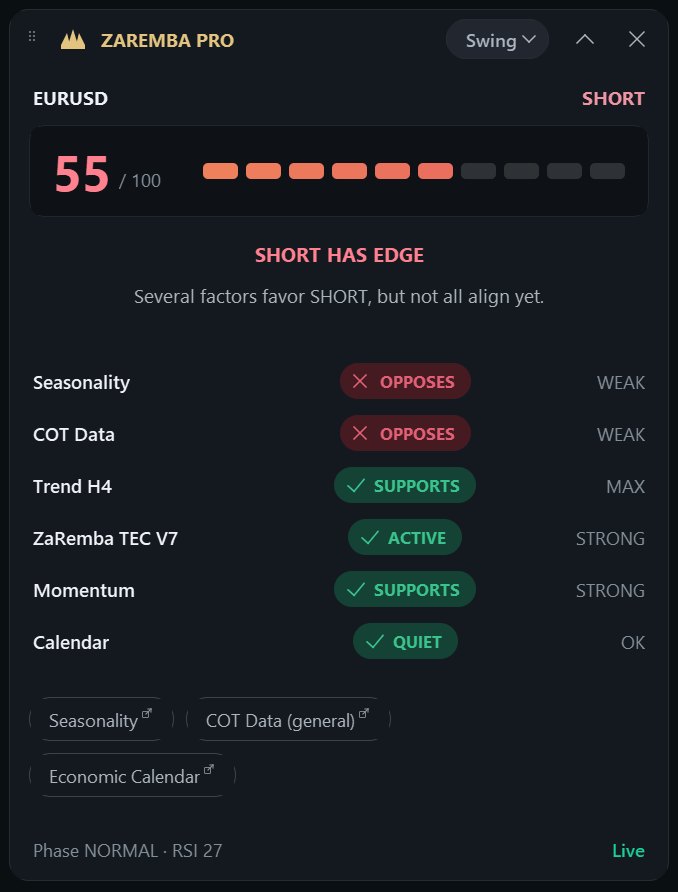
ZaRemba PRO panel
The rated factors and their sum for the symbol on your chart. A technical read-out, not a forecast.
-
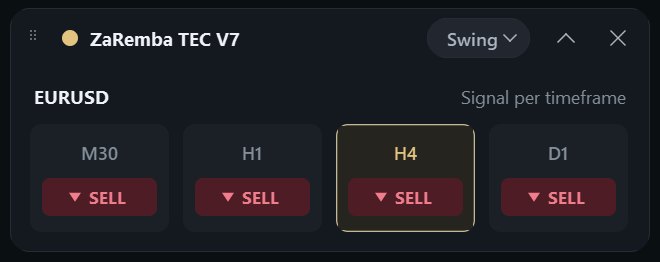
Four timeframes
M30, H1, H4 and D1 next to each other. You see at once whether the timeframes agree.
Market Radar ranks your broker's markets
Every instrument you select is rated with the same method, in swing or day-trading mode. Filter by asset class and open any row on the chart. Markets without COT data are ranked separately and labelled.

A PRO Score you can check
The ZaRemba TEC algo, trend, momentum, seasonality and COT each carry a fixed weight. The terminal shows the full calculation one click from the score.
Confluence value — not a win probability and no promise of profit.
The last line of the calculation view, as the terminal prints it

The whole terminal, explained in four minutes
A narrated walkthrough of every part: chart, signals, PRO Score, alerts, the assistant and the Market Radar. English voice-over, with sound.
Alerts, calendar and the longer view
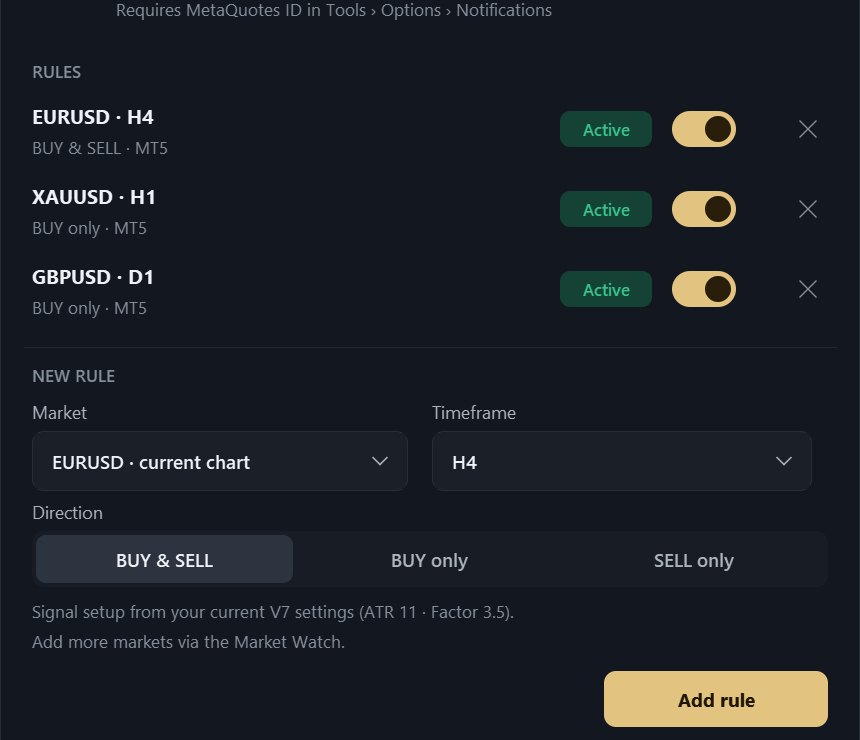
Alerts
- Set a rule per market, timeframe and direction. The terminal reports confirmed signals with a sound and a MetaTrader push notification to your phone.
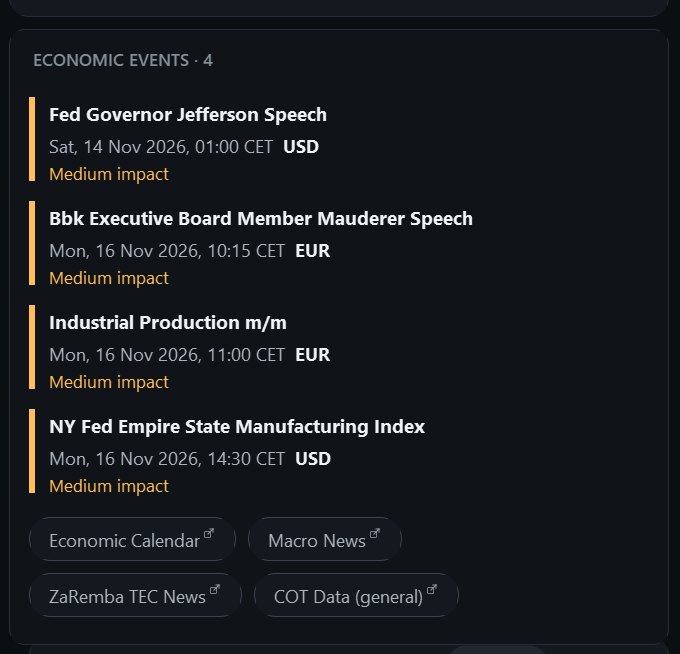
Economic calendar
- Upcoming events for the currencies of your symbol sit on the chart, taken from MetaTrader 5's own calendar.
Seasonality and COT
- Monthly seasonality and the CFTC Commitments of Traders report add the longer view, where data exists for the market.
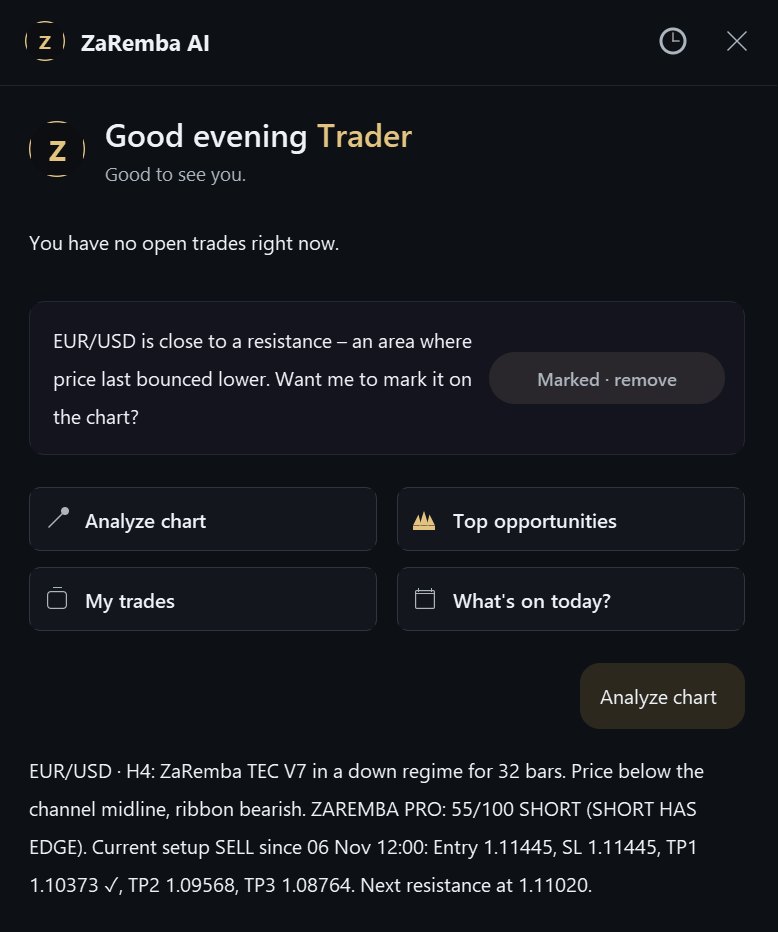
ZaRemba AI puts the chart into words
The built-in assistant runs on the terminal's own local engine. One click and it reads out the regime, the ribbon, the PRO Score, the current setup and the next level, and it can mark that level on the chart.
It can make mistakes, and it is not investment advice.
One licence for the whole terminal
$99per year
- The complete terminal for MetaTrader 5
- Licence for up to 3 trading accounts
- All updates while your licence runs
- Installation guide and e-mail support
Billed yearly in US dollars through Stripe. Cancel any time before renewal. No VAT is shown (small business under § 19 of the German VAT Act). Refund within 14 days, see the refund policy.
After checkout
- At checkout, enter your first MT5 account number.
- Receive the indicator file and your licence details by e-mail. Reply with up to two more account numbers whenever you like.
- Copy the folder into MQL5\Indicators and drag the terminal onto a chart.
What you need
- MetaTrader 5 on Windows, any broker
- DLL imports allowed, for the licence check, the COT download and for opening links
- MT5 set to English for English calendar titles
What it does not do
- It does not place, change or close orders
- It does not guarantee results, and trading involves risk of loss
- It does not run on MetaTrader 4
Questions before you buy
Does the terminal trade for me?
No. It is an indicator. It reads prices, your account and your open positions to display them. Every trade stays your own decision.
Which markets and brokers does it work with?
Any symbol your MT5 broker offers. COT data exists only for markets the CFTC reports on. Other markets are rated without it and labelled accordingly.
How does the licence work?
Your licence is tied to the MT5 account numbers you register, up to three. You enter the first one at checkout and send us the second and third by e-mail. All three run until the same date: one year from your purchase, renewed together. To switch an account, write to support and we move it.
What does the terminal send over the internet?
Two things. For the licence check it sends your licence key, your MT5 account number, your broker's name, whether the account is demo or live, and a technical ID of your MetaTrader installation to our licence server. And it downloads the public COT report from the CFTC. Your prices, positions and balances stay on your computer.
Why does it need DLL imports?
For three things: the licence check, downloading the public CFTC COT report and opening links in your browser.
Can I get a refund?
Yes, within 14 days of purchase. The details are in the refund policy.
Is this financial advice?
No. The terminal is a charting tool. All scores and markers are technical read-outs, not recommendations. Please read the risk disclosure.